Solutions
One safety system, four ways it protects your people.
Each part of Tempus solves a real problem on its own. Together, they mean one alarm reaches every speaker, sign, screen and member of staff at the same moment.
01 · PUBLIC ADDRESS & LOCKDOWN VOICE ALERTS · SCHOOLSAFE PA
The voice of your building, for every day and for emergencies.
SchoolSafe PA has been keeping UK schools informed for years. As part of Tempus it rings your bells on time, makes announcements by zone, and becomes the spoken part of every lockdown, evacuation and call for help.
- Timetabled bells and lesson-change tones by zone
- Live paging from a microphone, by zone or all-call
- A distinct lockdown voice message that can’t be confused with your fire alarm
- Pre-recorded evacuation, invacuation and all-clear messages
- Spoken alerts, such as “Medical assistance, Science 2”
- Emergencies always take priority over scheduled audio
- Every speaker monitored, so a fault is never discovered during an emergency
- Works alongside your fire alarm and any BS 5839-8 voice alarm system
Works with the system you have
Full IP
Network speakers and horns throughout, powered and connected over your data network. Ideal for new builds and refurbishments.
Hybrid 100V and IP
Keep the 100V speakers and amplifiers you already have, and add IP zones where they’re needed. Everything behaves as one system.
Upgrade an existing 100V system
Bring an older PA into the Tempus system, with zoning, scheduling and emergency messages, without rewiring the building.


02 · TIMEKEEPING & WAYFINDING
A display in every room that tells people the time, the way and what to do.
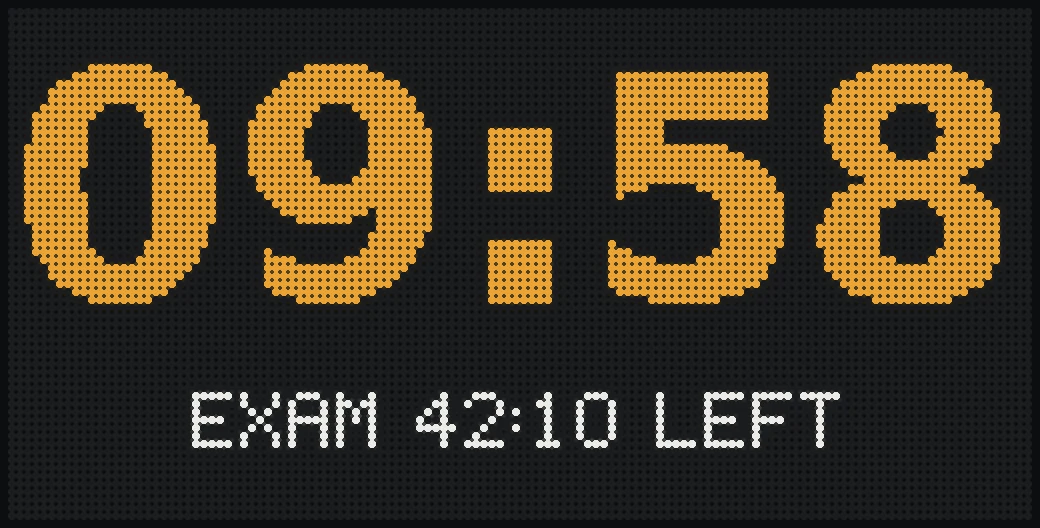
Synchronised clocks and digital signage in one. Bright, easy-to-read displays that are all synchronised to the same second. Most of the time they show time and useful information. In an emergency, every one of them shows the same clear instruction at once.
- Accurate, synchronised time, so bells, clocks and timetables always agree
- Lesson and break countdowns, exam timers and scheduled messages
- Wayfinding and room information, plus safety signs drawn to recognised standards
- Lockdown and fire exit screens that can’t be missed
- Room air quality on models fitted with a sensor
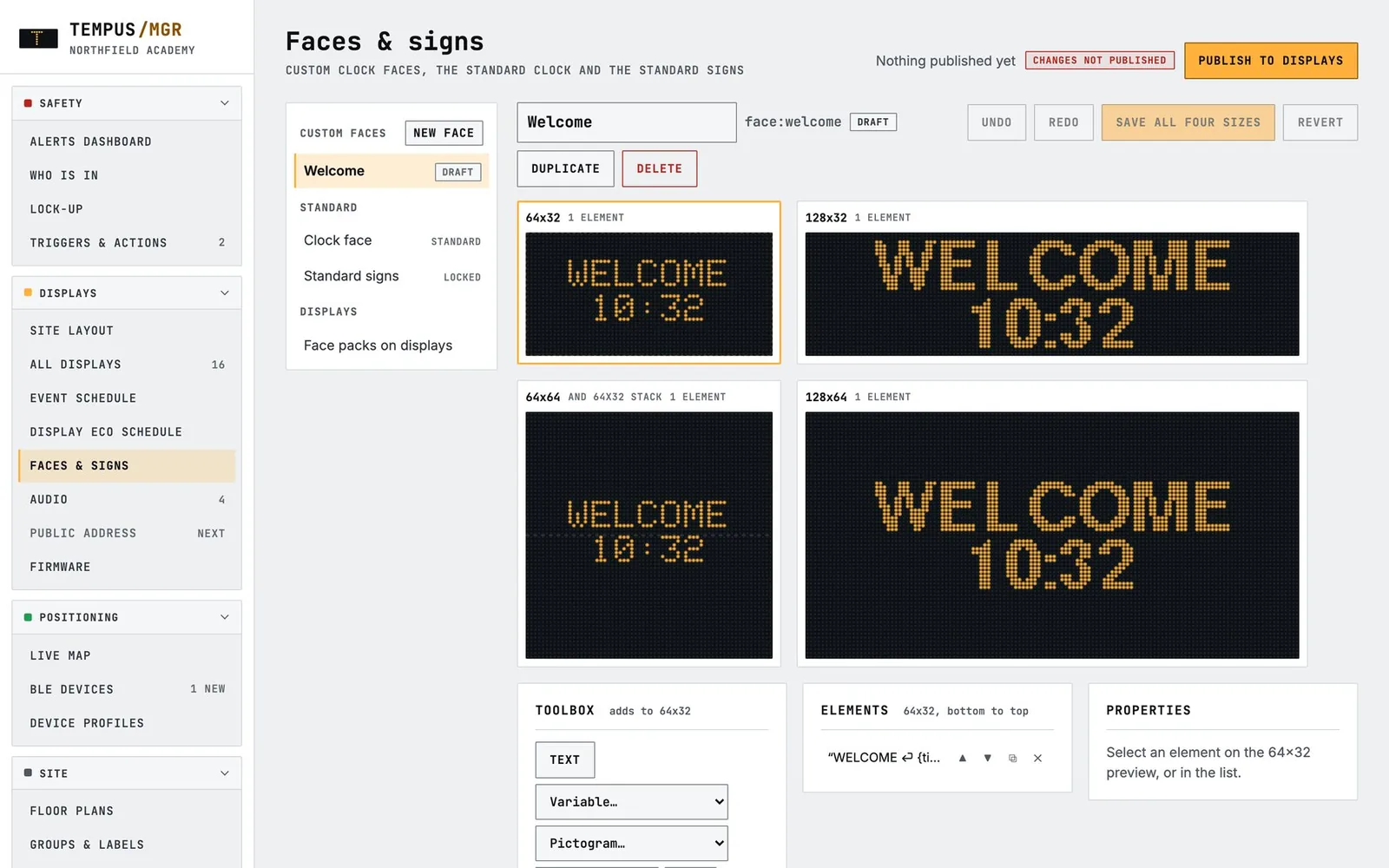
- Your own signs and screens, designed in the browser
- Switch off out of hours automatically to save energy
03 · STAFF & ASSET LOCATION · BLUETOOTH LIVE POSITIONING
Help on a lanyard, and knowing where everyone is.
Staff wear a small Bluetooth button. Receivers in displays, EnviroSentry sensors and discreet nodes work out which room each person is in, live and all the time, not just when they press for help. Key equipment can be given a tag in the same way. Private areas such as toilets never show anyone’s position.
How staff alert works →Calls for assistance
Assistance, Urgent and Medical calls, each showing who and where.
Live positioning map
Where staff and equipment are right now, room by room, with open calls shown on your own floor plans.
Roll call
See who is on site, building by building, from a phone.
Equipment location
Get an alert when a defibrillator or trolley leaves its room.
BUILDING INSIGHT · LIVE HEATMAPS
See how busy your building is, and how healthy, on one floor plan.
The floor plans that show staff positions also show live heatmaps. The device heatmap shows which rooms are busiest. Switch layers to see EnviroSentry’s air quality, CO₂ and temperature readings, with door and window sensors and lighting shown on the same plan. Select any map to enlarge it.
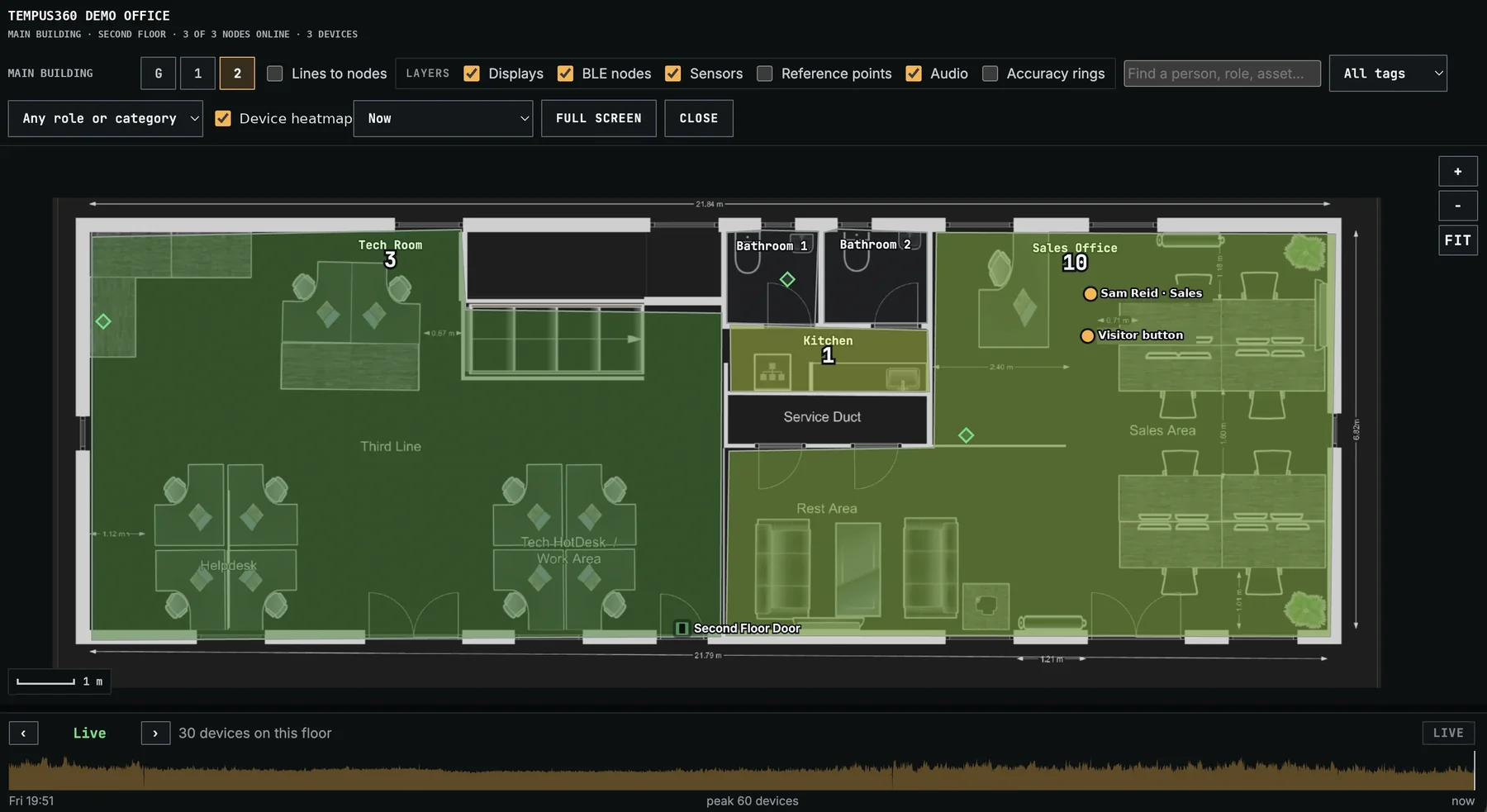 Device concentrationENLARGE +How busy each room is right now, from the Bluetooth devices it hears, with a 24-hour timeline below.
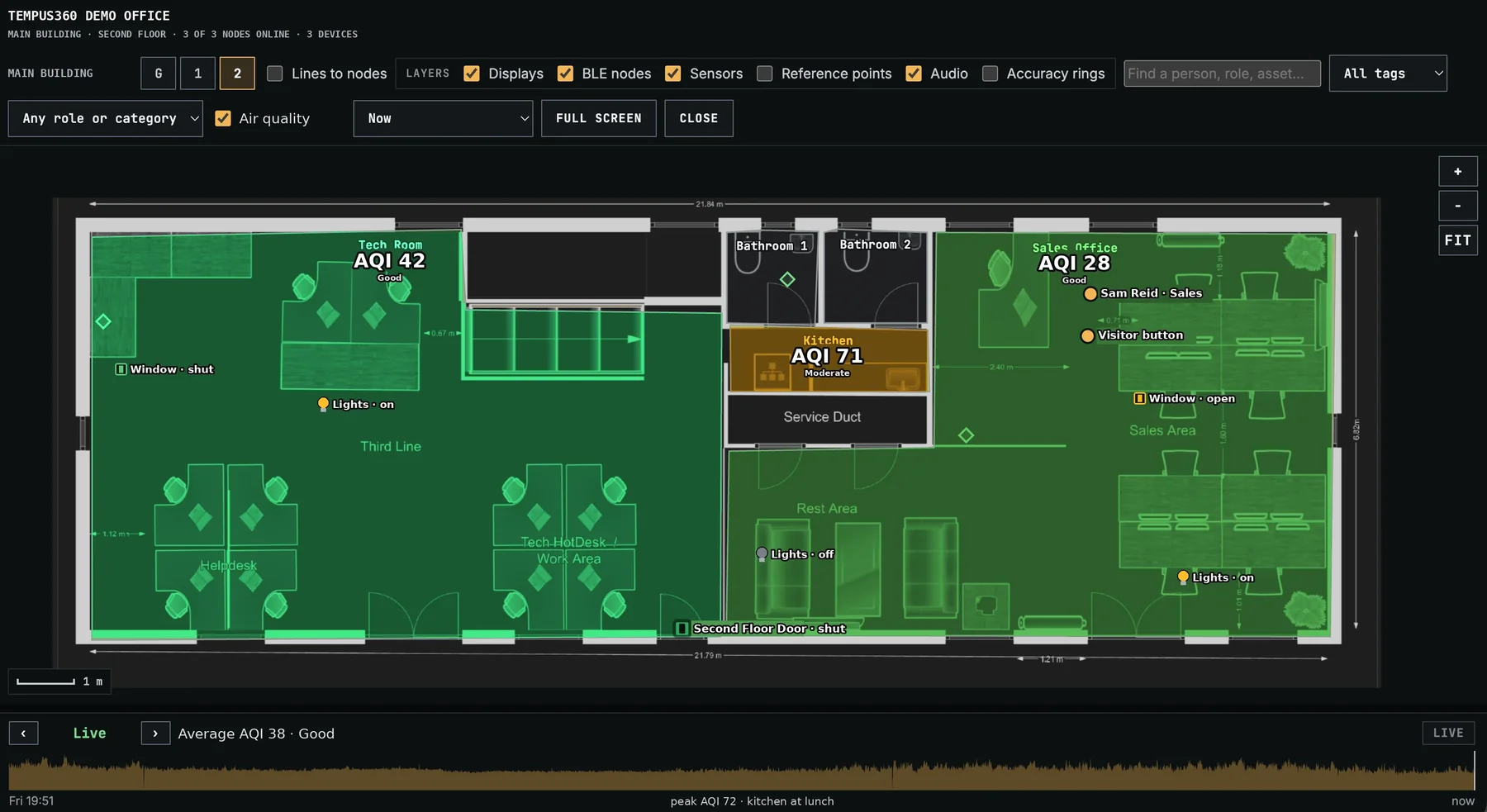 Air qualityENLARGE +EnviroSentry’s air quality index for every room, with window and lighting status on the plan.
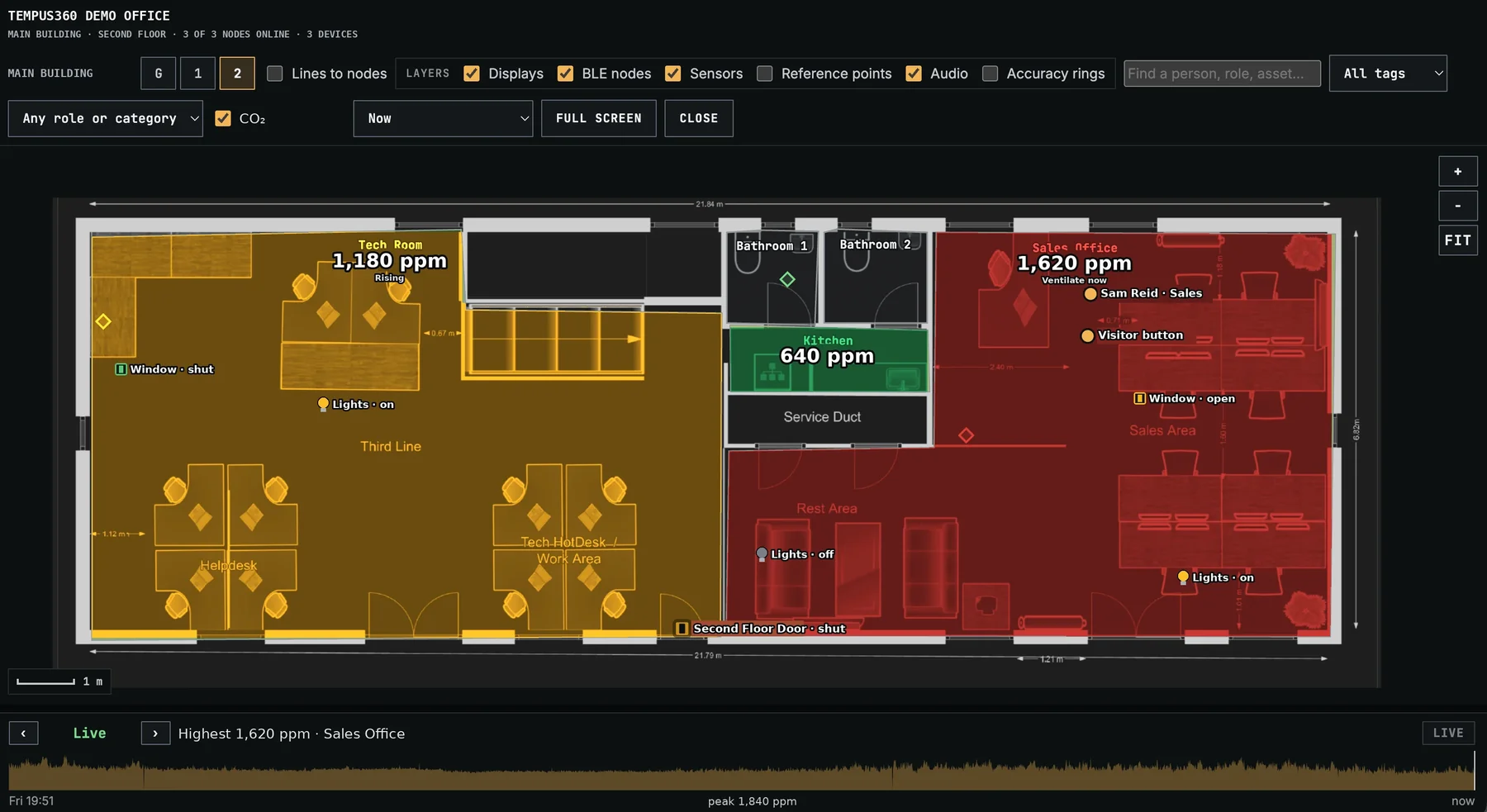 CO₂ENLARGE +Live CO₂ in parts per million, with rooms that need ventilating shown in red.
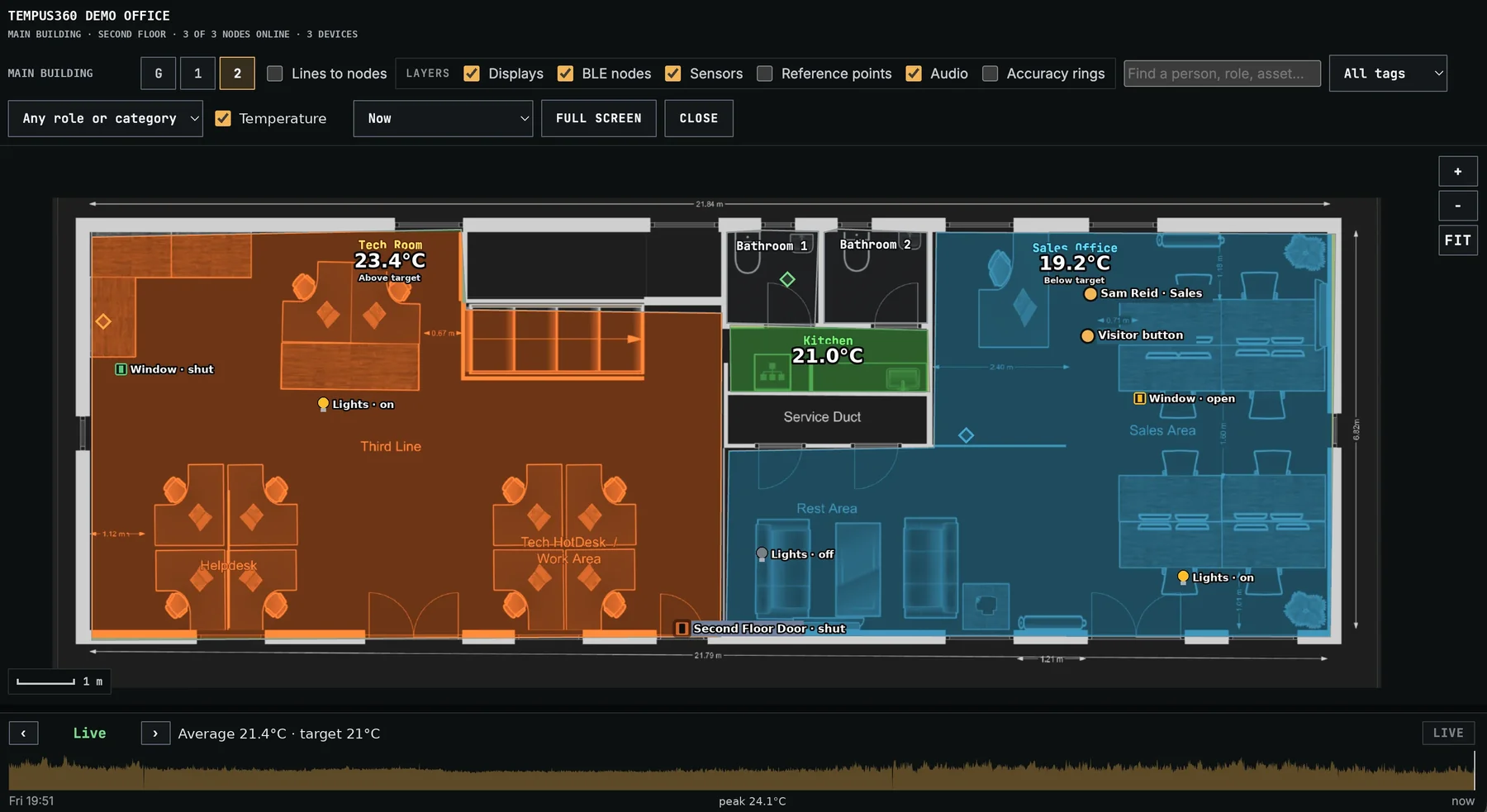 TemperatureENLARGE +Room temperatures against your target, so too hot or too cold stands out.
Room capacity and space use
The device heatmap counts the phones, laptops and watches each room hears, live or as the busiest and average over the last hour. Spot crowded corridors at break, rooms nearing capacity, and spaces that are booked but rarely used.
Counts, never identities
Only the number of devices per room is kept, never device addresses, and counts are deleted after 24 hours. Your own Tempus devices aren’t counted, and fixed kit can be left out.
Doors, windows and lighting on the plan
Door and window sensors show open or shut in every room. Lighting relays show whether lights are on, and can be switched off from the Manager. The same information feeds the end-of-day lock-up checklist.
Building status at a glance
Air quality, CO₂ and temperature for every room, coloured so problems stand out. Alerts tell the right people when a room needs ventilating or is too hot or cold.
Device concentration: How busy each room is right now, from the Bluetooth devices it hears, with a 24-hour timeline below.
Air quality: EnviroSentry’s air quality index for every room, with window and lighting status on the plan.
CLASSROOM & ROOM CONTROL · ENVIROSENTRY mmWAVE
Rooms that switch themselves off when everyone has gone.
EnviroSentry’s mmWave radar knows when a room is really empty. Unlike ordinary motion sensors, it still detects people sitting quietly at a desk. Because EnviroSentry works with Tempus Manager, an empty room can switch off its interactive display, turn off the lights and set back the heating. Everything comes back on when people return.
- Interactive displays and projectors off when nobody is using them
- Lights off through lighting relays, with every switch logged
- Heating and ventilation that follow real occupancy
- No false “empty” while a class sits an exam in silence
M102 SCIENCE · 12:20
Illustrative.
04 · COMMUNICATION
Every screen on site becomes a safety screen.
Teachers, clinicians and office staff spend their day looking at a computer. Tempus Agent is also the quickest way to get started: see desktop alerts. Tempus acts as a mass notification system, so an alert reaches them there too, and on the large screens in halls, canteens and receptions.
Desktops and laptops
In a lockdown, every screen shows the instruction and stays locked until the lockdown ends. Everyday messages scroll across the screen without interrupting work.
Hall screens and TVs
Large displays are woken and switched to the alert automatically, then put back exactly as they were afterwards.
Alerts dashboard
A full-screen view for reception or the site office that shows every open call and safety event.
Alerts sent to the right people through your Microsoft 365, the moment they happen.
EVERY DAY · LESSON CHANGES & SCHEDULED MESSAGES
Set the day up once. Tempus runs it for you.
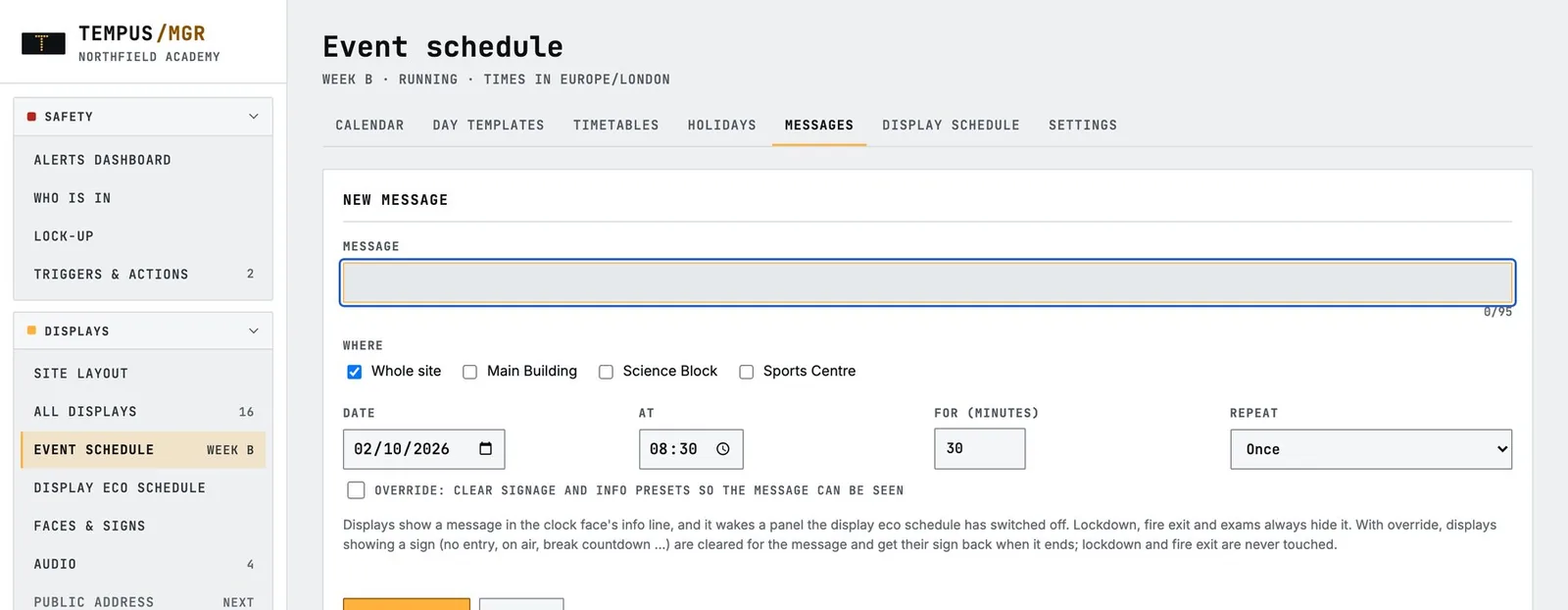
One schedule runs your bells, lesson changes, messages and signs across the whole site. Any scheduled message can go to the PA, the room displays, staff computers, or all three at once, and it can come straight from your Outlook calendar.
Lesson change
Bells by zone over SchoolSafe PA, with period countdowns and “break ends in” on every display. Week A/B timetables, holidays and INSET days are handled automatically.
One-off days
Late starts, exam days, sports day: change a single day without touching the normal timetable.
Scheduled messages everywhere
Announce it, display it and put it on staff screens, once or on repeat, with term holidays skipped automatically.
Scheduled wayfinding
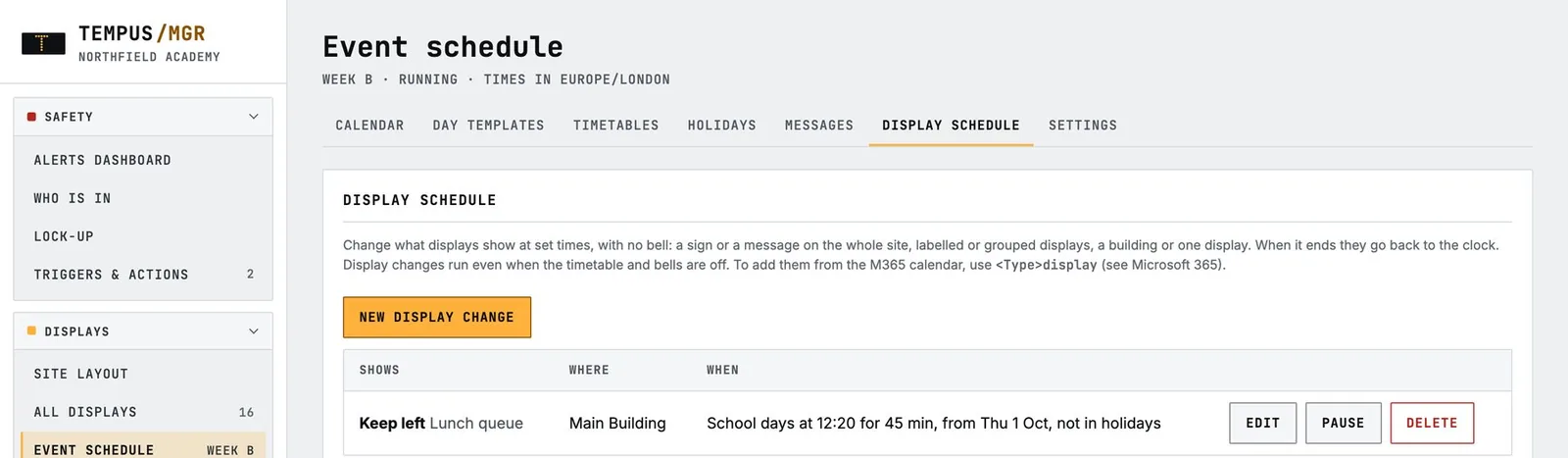
Change signs at set times, such as lunch queue directions at 12:15 or open evening routes from 17:00, then return to normal on their own.
Driven by your calendar
Add a tagged event to your Microsoft 365 calendar and it becomes a holiday, a message, a day change or a sign change in Tempus.
Safety always comes first
Lockdown and evacuation always override anything scheduled.
TODAY · WEEK A
Bell to all zones · period ring starts
Wayfinding sign · canteen corridor · 45 min
Announcement and message, whole site
Visitor routes on entrance and corridor displays
Illustrative schedule.
SAFETY TRIGGERS
Start the right response from anywhere.
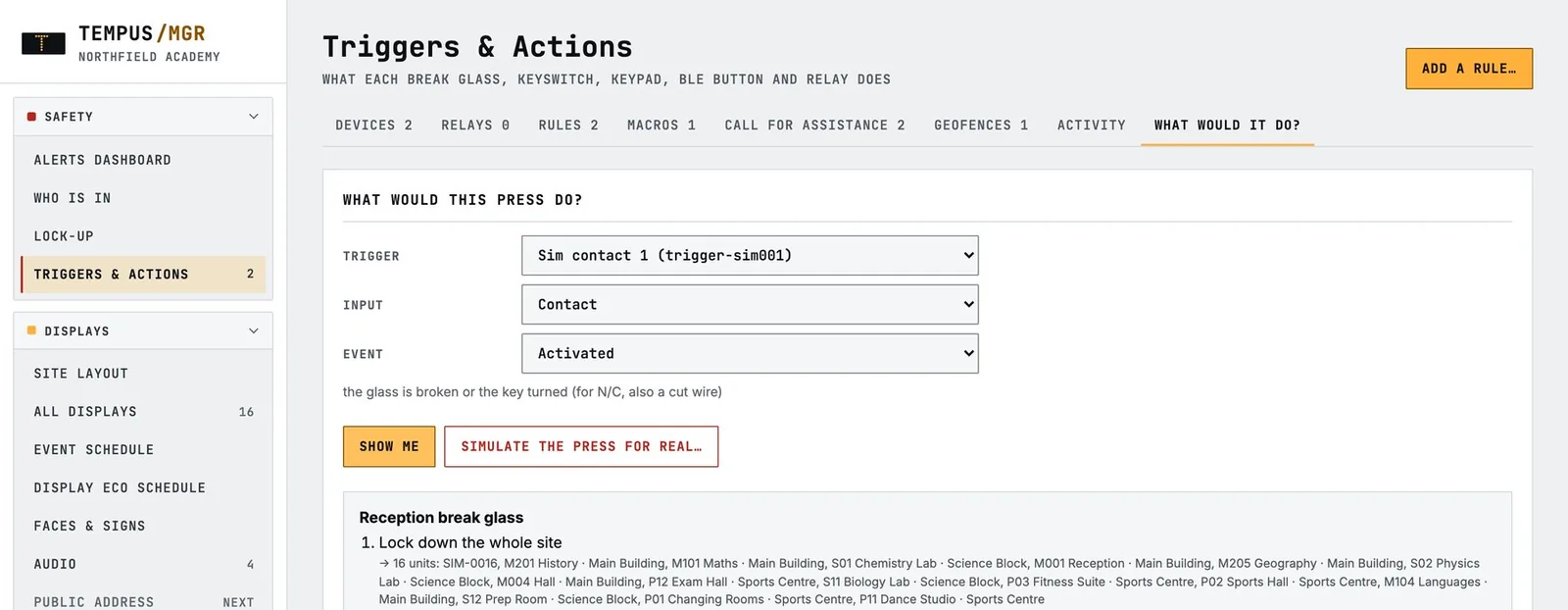
Break glass points, keyswitches and keypads placed where staff need them. Each one follows your agreed plan, and you can change that plan at any time without rewiring.
- Partial and full lockdown, evacuation and all clear
- Constantly monitored, so a faulty trigger is flagged straight away
- Test what a trigger will do without setting it off
ENVIROSENTRY
Healthy rooms, measured.
An all-in-one ceiling sensor for AI vape detection, indoor air quality, mmWave presence detection, smart room control, and door and window monitoring. Every unit also extends staff alert and location coverage.
- Vape alerts with a confidence level, sent straight to staff
- Ventilation warnings before air quality affects concentration
- Empty rooms power down automatically