Tempus Agent · Desktop lockdown & emergency alerts
Lockdown on every staff computer, from day one.
Staff spend most of the day in front of a screen, so that’s the fastest place to reach them. Tempus Agent takes over every staff computer the moment a lockdown starts, and it runs from Tempus Manager on your own premises. It’s a quick, affordable way to start, and it builds towards a complete safety system.
Every monitor, every signed-in session, locked until the lockdown ends.
What Tempus Agent does
More than a notification. It takes over the screen.
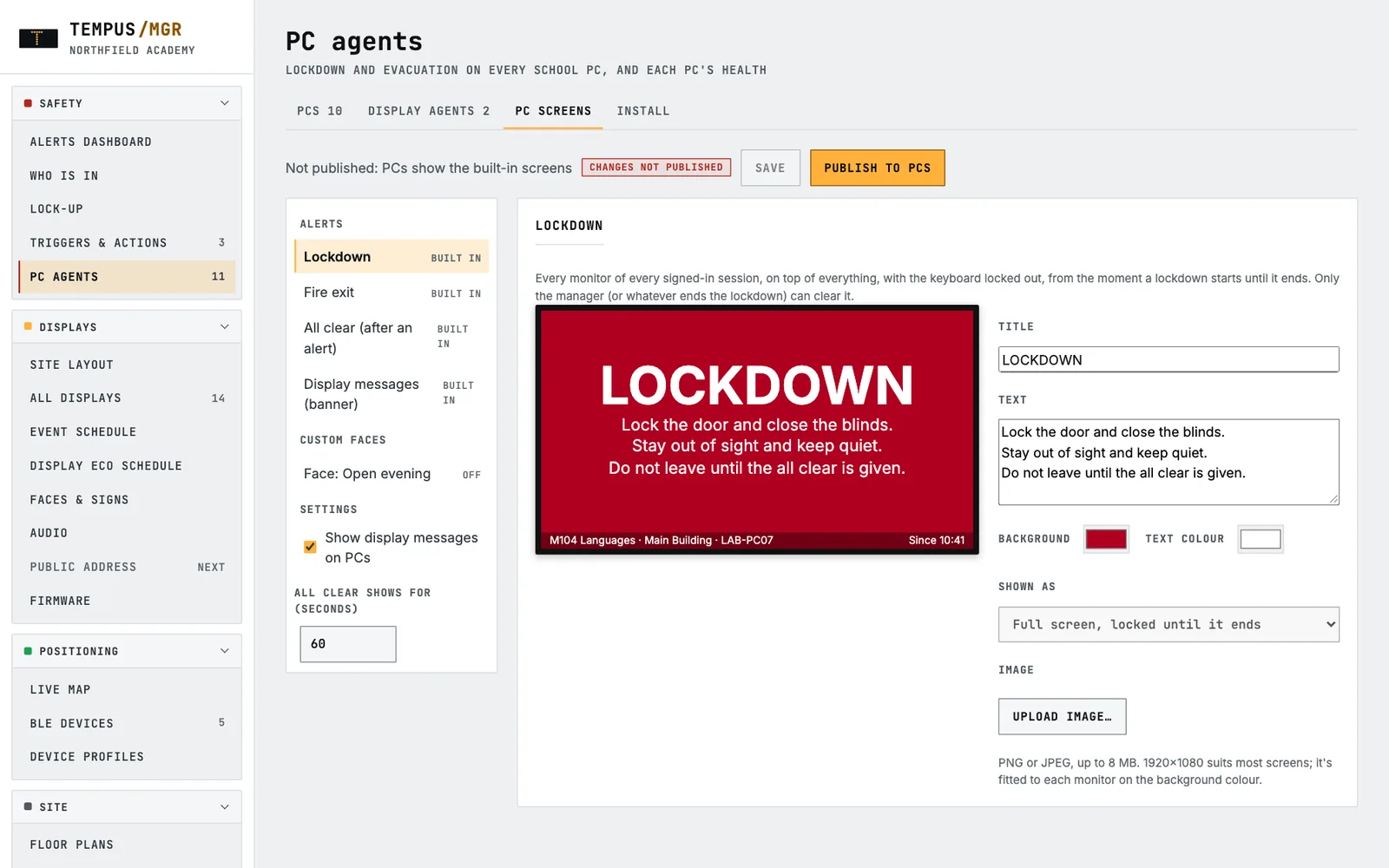
Full-screen lockdown
Every monitor of every signed-in session shows your lockdown instruction on top of everything else. The computer can’t be used until the lockdown ends, so the message can’t be missed or dismissed.
Evacuation and all clear
Fire exit and evacuation screens, then an all-clear message so staff know when it’s safe to carry on.
Everyday messages
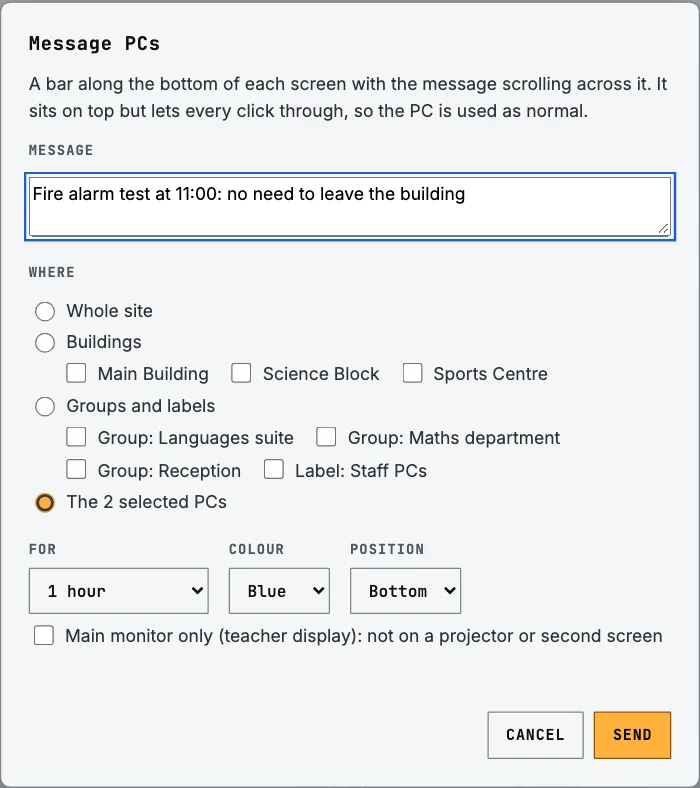
A scrolling banner for staff notices that lets every click through, so work carries on. Send it now or schedule it ahead.
Kept off the projector
Choose “main monitor only” for teaching rooms, so an alert reaches the teacher without being shown to the whole class.
Nothing missed
A computer that was asleep shows the lockdown as soon as it wakes. If nobody is signed in, it appears at the next sign-in.
Hall screens and TVs too
A small display agent switches large screens in halls, canteens and receptions to the alert, then puts them back as they were afterwards.
Your own screens
Set your own wording, colours and branding for each alert, and add screens for your own procedures.
Easy for IT
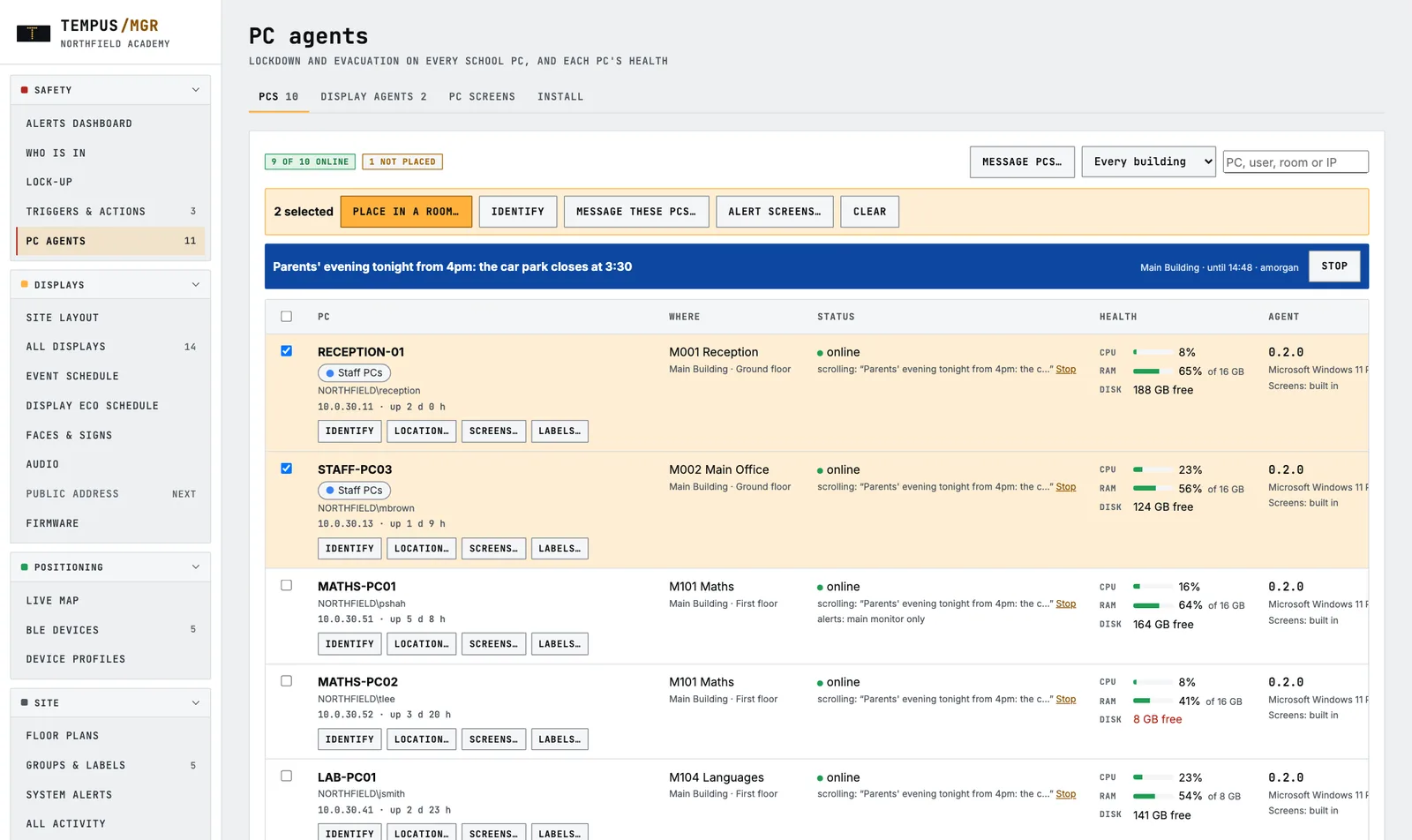
Deploy to Windows 10 and 11 with the tools your IT team already uses. Mac support is in trial. Every computer’s health shows in one list.
Comparing lockdown apps?
Six questions to ask any app-based lockdown solution.
App-based lockdown tools are popular because they’re quick to set up. Before you choose one, it’s worth checking how it would hold up on the day. Here’s how Tempus answers each question.
| Ask | Tempus |
|---|---|
| Does it rely on staff having a phone with them and notifications switched on? | No. It takes over the computer in front of them, and can add PA announcements and room displays for anyone who’s away from a screen. |
| Does it just notify, or does it take over the screen? | It takes over. The lockdown instruction covers every monitor and stays until the lockdown ends. |
| Does it work if the internet goes down? | Yes. Tempus Manager runs on your own premises, so alerts travel over your own network. |
| Can it be started from a break glass point or panic button, not just an app? | Yes. Add Tempus triggers or staff panic alarms whenever you’re ready, and they start the same lockdown. |
| Where is our data held? | On a server in your building. Remote support through Tempus Cloud is optional and switched on by you. |
| What happens when we need more than desktops? | The same Tempus Manager grows to include PA, displays, staff panic alarms and environmental sensing, with no second system to buy or learn. |
Start here, grow from here
A starting point, not a dead end.
Your buildings, rooms, users, groups and procedures are set up once in Tempus Manager. Each new part you add simply joins the response you’ve already built.
STEP 1 · START
Tempus Manager + Tempus Agent
Desktop lockdown, evacuation and messages on every staff computer and big screen.
STEP 2
Triggers & staff panic alarms
Break glass points, keypads and lanyard buttons that start a lockdown and show who needs help and where.
STEP 3
SchoolSafe PA & displays
Voice alerts, bells and lesson changes, plus displays in every room for people away from a screen.
STEP 4
EnviroSentry & Tempus Cloud
Vape detection and air quality, with remote monitoring and support across one site or many.
You can start at any step. This is simply the order many sites follow.