Bluetooth live positioning · Staff panic alarm · Lone worker safety
Know where everyone is. Help, found, the moment it’s needed.
Staff carry a small Bluetooth button. Discreet receivers around the building, and the displays themselves, pick up every press and work out which room it came from. It’s a staff panic alarm system that knows where the alarm came from. There’s no app to open, no phone to unlock and no radio channel to break into.
Assistance — press again to make it Urgent
Medical — its own colour and its own tone
Cancel — only your own call, on every site
A typical set-up. Each site chooses which press means what.
Bluetooth-powered live positioning
Know where your staff are, right now, room by room.
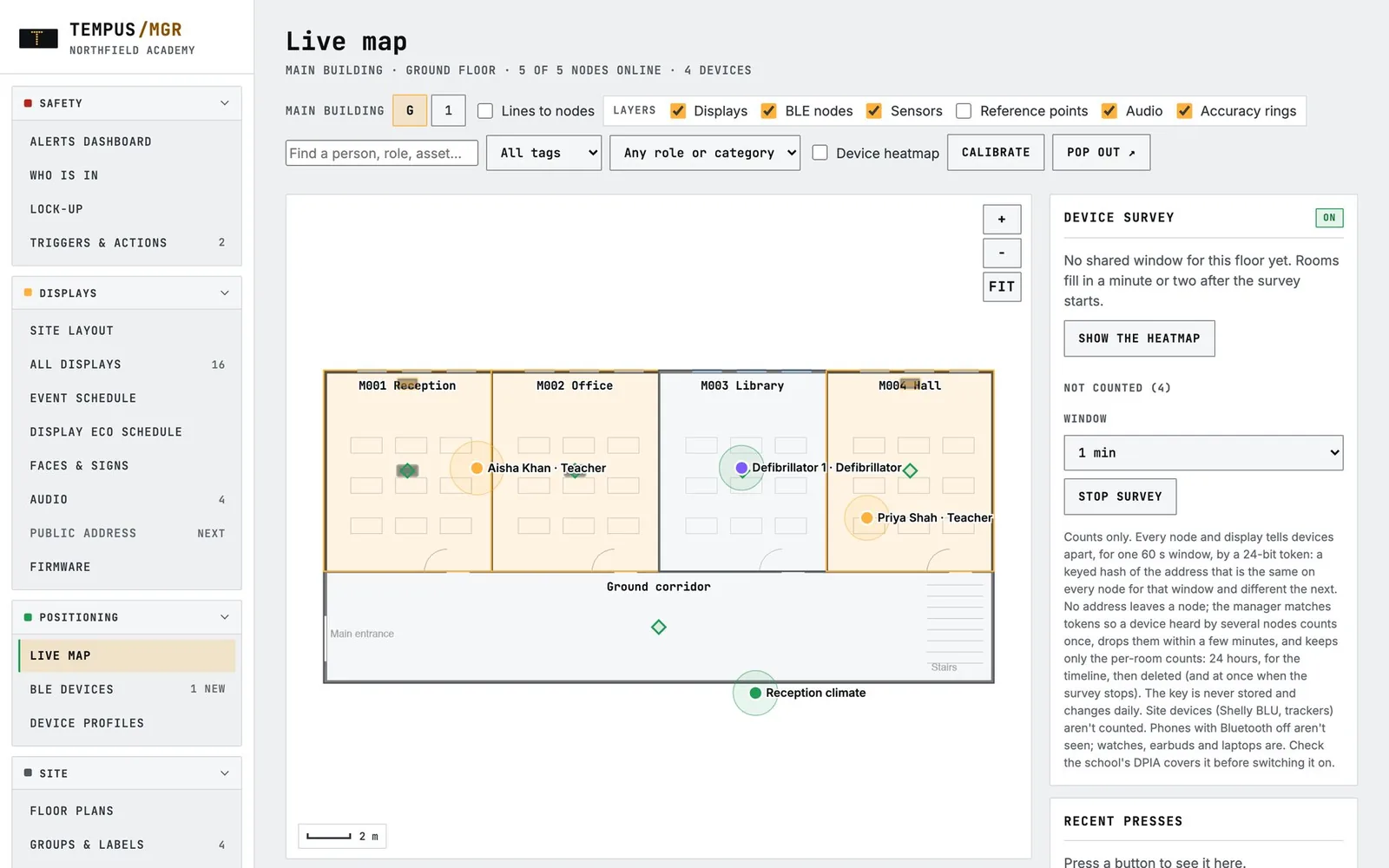
Every staff button regularly sends a low-power Bluetooth signal. Receivers built into Tempus displays, EnviroSentry sensors and Tempus BLE Nodes pick it up, and Tempus works out which room each person is in. Their position is shown live on your own floor plans, all the time, not only when someone presses for help.
- Room-level accuracy, worked out from your floor plans, with a “moving” indicator when someone is walking between rooms
- Send the nearest colleague. When a call comes in, you can see who is closest to help.
- Instant roll call in a fire, lockdown or night-time check: who is on site, where they are, and who hasn’t been seen
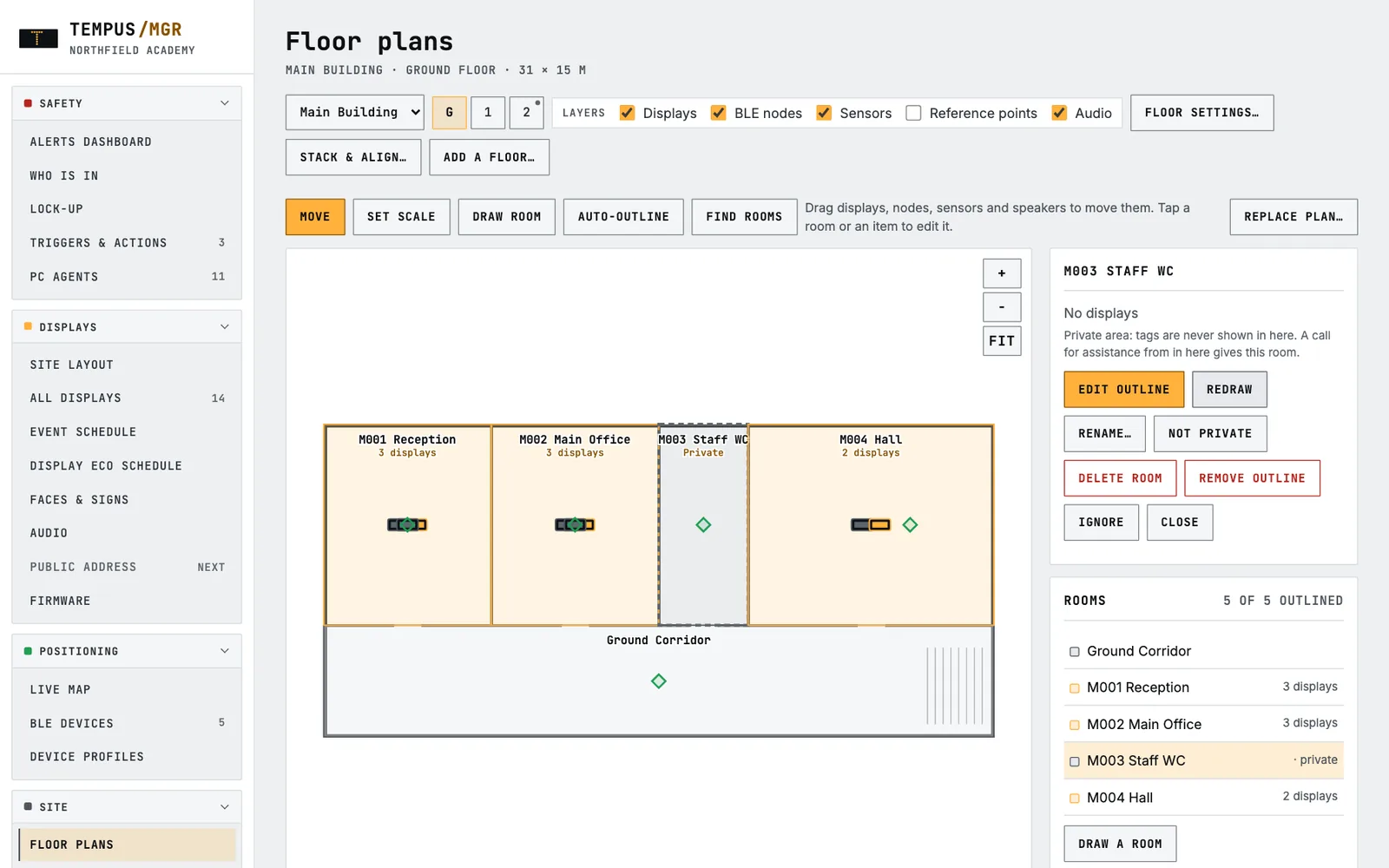
- Private areas stay private. Nobody’s position is ever shown in a toilet, bathroom or changing room, yet a call for help from inside still goes to the right door
- Uses the hardware you already have. Displays and EnviroSentry sensors double as receivers, so coverage grows as the system grows.
How the panic alarm system works
From press to “I’m on it” in four steps.
1
Press
A member of staff double-presses their lanyard button. Receivers nearby pick it up.
2
Locate
Tempus works out which room they’re in from your floor plans, and knows whose button it is.
3
Alert
A critical alert opens on the dashboard and live map, is emailed, and can be announced over SchoolSafe PA: “Medical assistance. Jo Bloggs in Science 2.”
4
Answer
A responder taps “I’m on it” so everyone sees help is coming, then “Resolved”. Every step is logged.
Three levels that never look or sound alike.
Assistance
The card pulses with a chime every 10 seconds. Tick “repeat to escalate” and a second press makes it Urgent.
Urgent assistance
Red flashing with a wailing siren every 3 seconds. Any “I’m on it” is cleared so it is answered again.
✚ Medical
Its own blue with a hi-lo two-tone every 3 seconds, so a medical emergency is never mistaken for anything else.
Unanswered calls come first, then medical before urgent before standard, longest wait first. Put the dashboard on a reception or office screen: it stays awake and sounds until someone answers.
The same tags, every day
Positioning that earns its keep long before an emergency.
Live map
Your floor plans with people, assets, nodes, sensors and open calls, live. Pop it out to a wall screen.
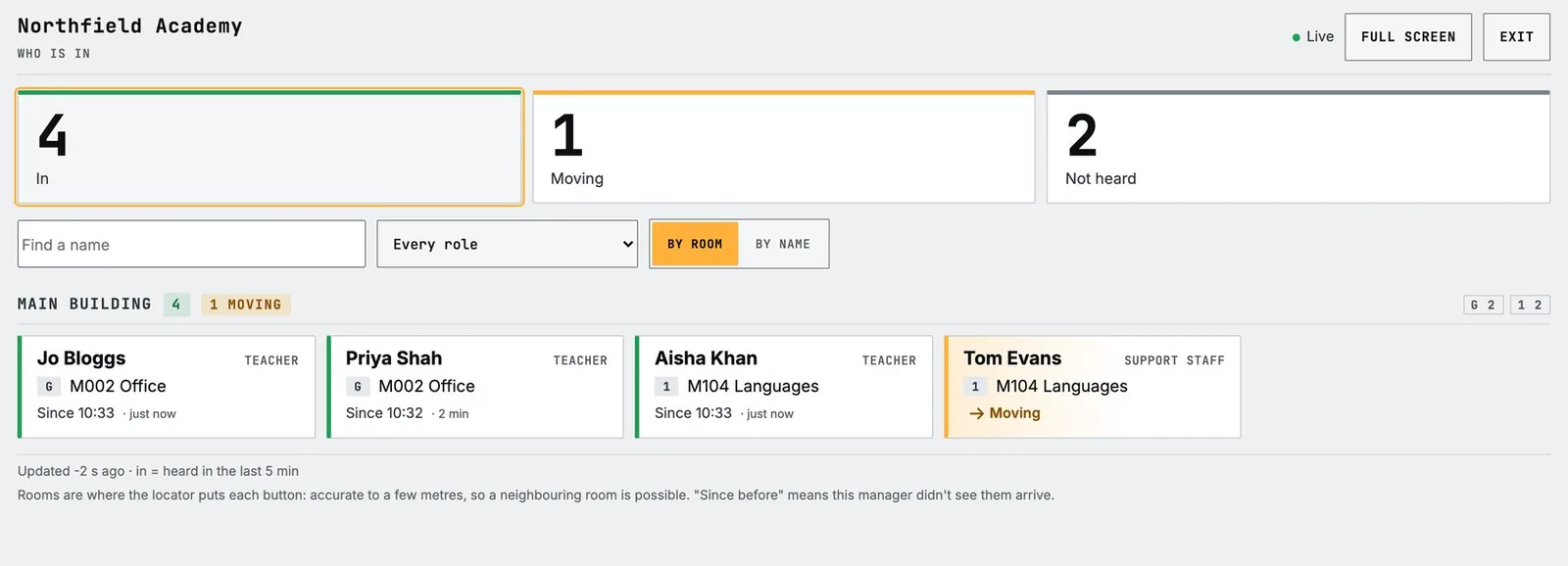
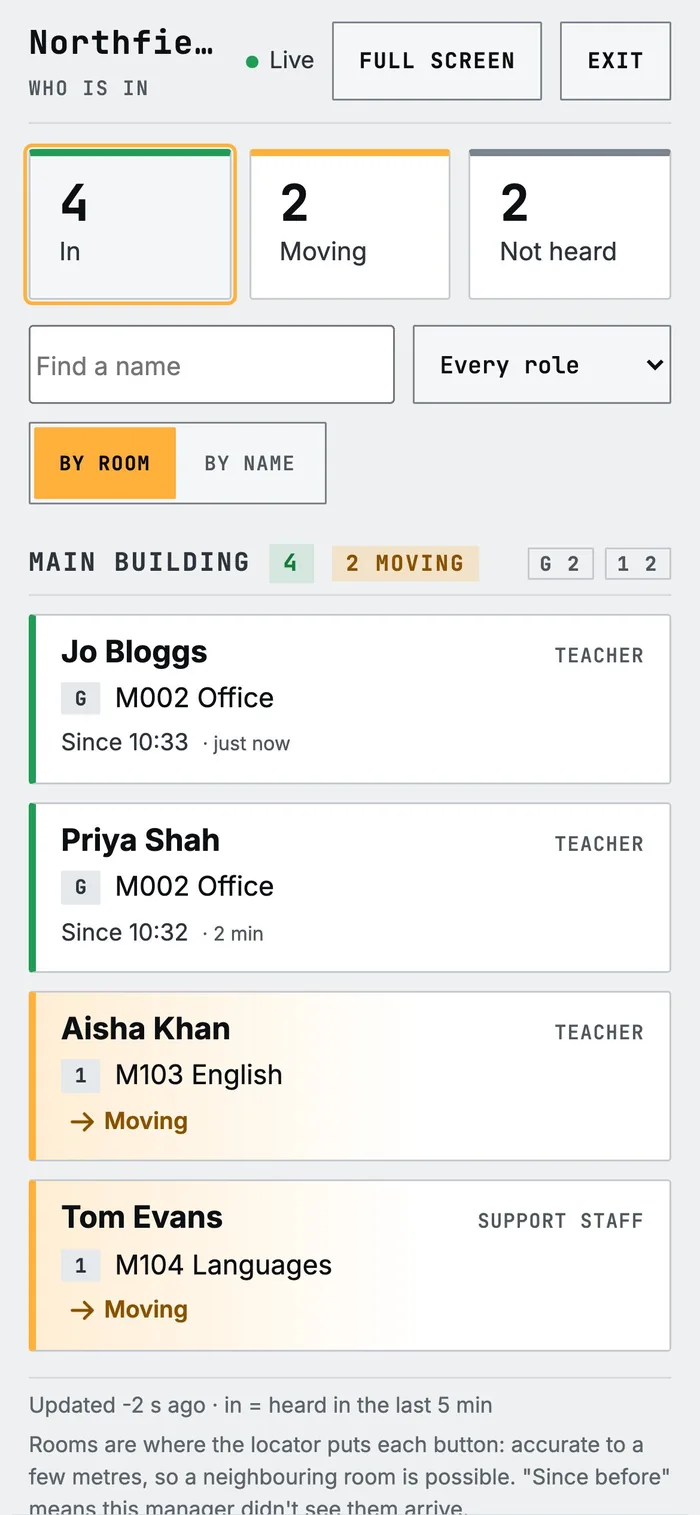
Who is in — fire roll call
Everyone whose button is heard on site, by building and room, plus who isn’t. Works on a phone at the assembly point.
Lone working
HSE expects employers to give lone workers a reliable way to call for help. Tempus does that, and lets you check who is still in B block at 7pm or where the night staff are without a single phone call.
Asset geofencing
Tag a defibrillator, a medication trolley or a laptop cart. If it leaves its home room, you get an alert and an email.
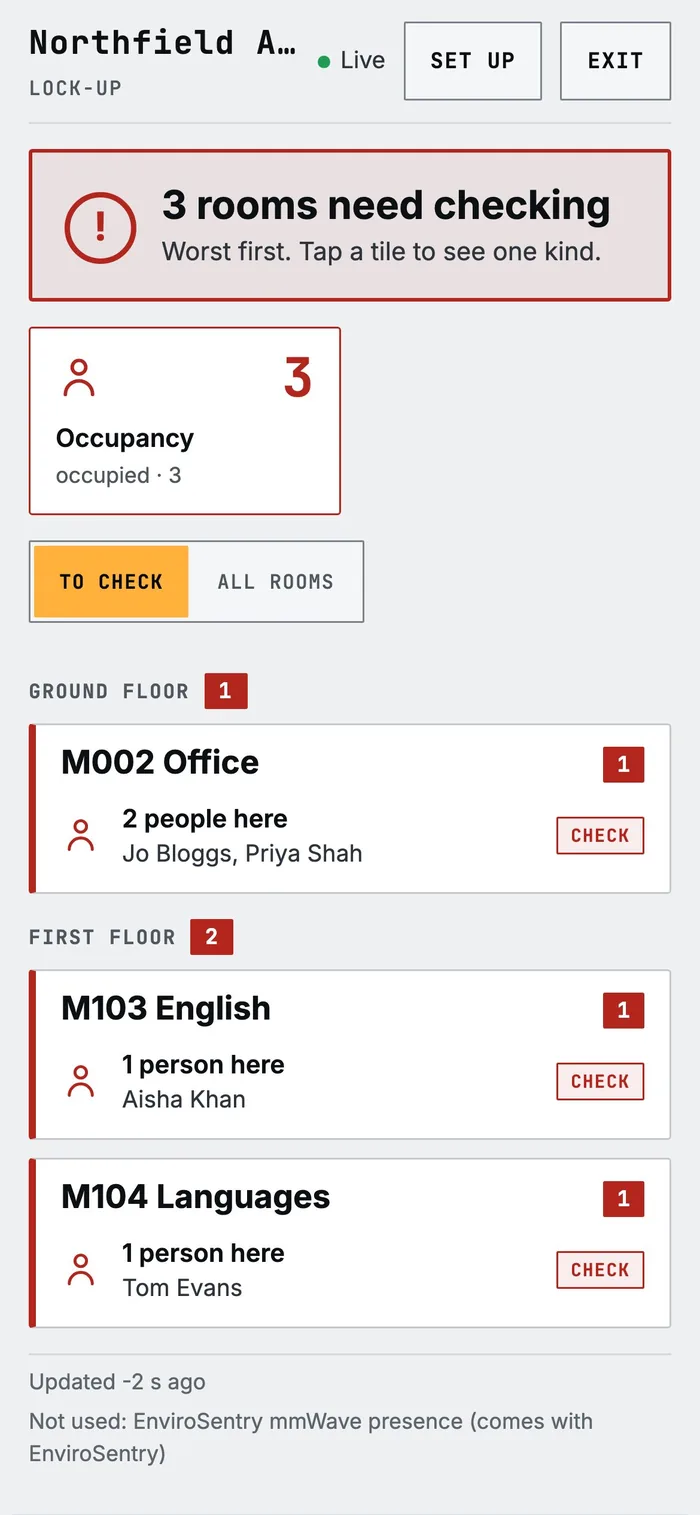
Lock-up walk
A phone checklist of rooms with lights on, doors or windows open, or someone still inside, worst first. Switch lights off from the page.
Occupancy insight
An optional device survey shows how busy each room is over 24 hours. It keeps counts only, never device addresses.
Privacy by design
Locating staff for safety, not for surveillance.
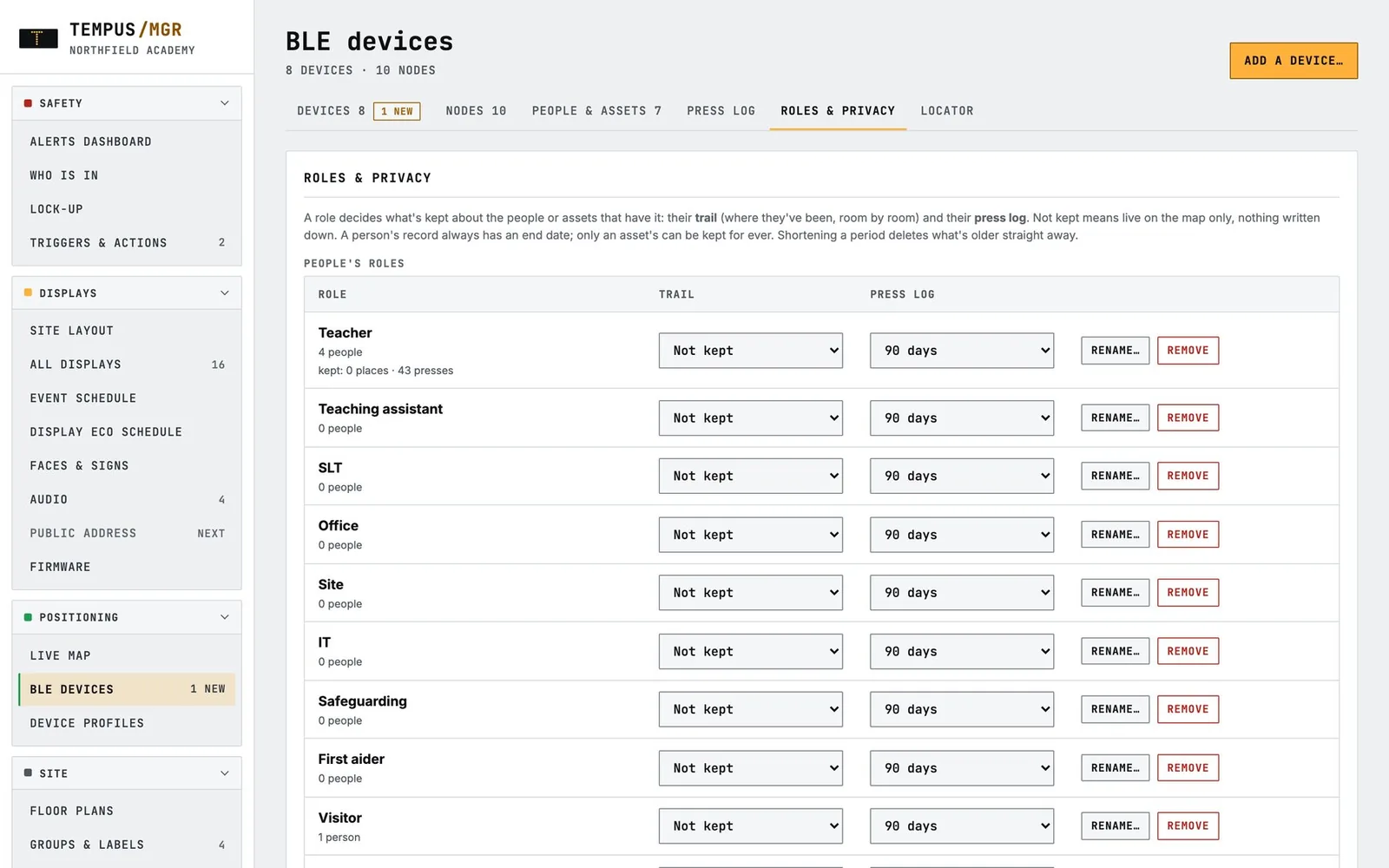
Location data is sensitive. Tempus lets you decide, role by role, what is kept, for how long, and who can look — and records every look.
Private areas
Make toilets, changing rooms or treatment rooms private and nobody is ever shown inside — on the map, in a trail, or on Who is in. A call for help pressed inside still gives that room, so help goes to the right door.
Retention you set per role
Trails and press logs can be “not kept” (live only) or kept from 1 day to 2 years. Shortening a period deletes older data straight away.
Every look is audited
Viewing someone’s trail or the press log is recorded: who looked, at whose, and when. You decide whether operators can see trails at all.
On your premises
Location is worked out on the Tempus Manager server in your own building, and the data doesn’t leave your site.
For healthcare and care settings
Tempus staff alert is designed for staff safety, lone working and summoning colleagues fast. It complements, rather than replaces, a clinical nurse call or resident call system. We’ll happily talk through how it sits alongside the systems you already run.